Know where your apps come from
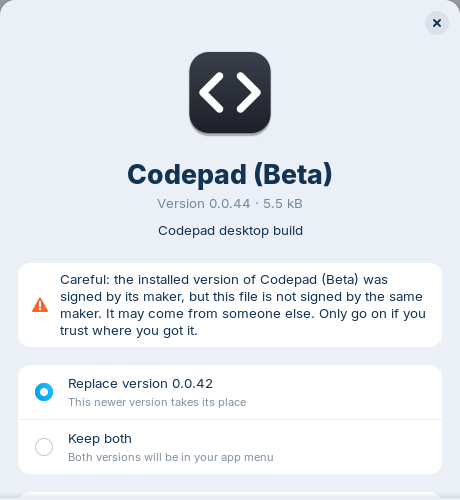
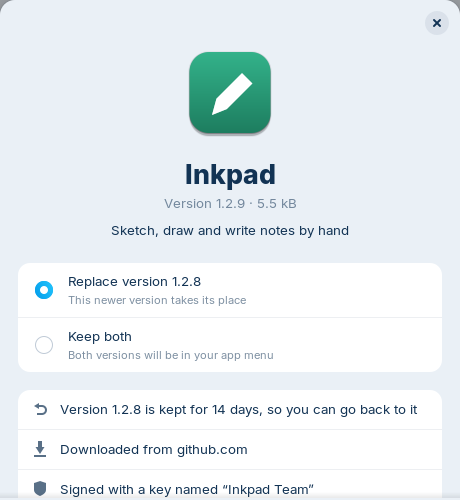
See the website a file came from and who signed it. If a new version isn't signed by the same maker, you get a clear warning first.

The app manager for AppImages
Easy Installer manages your AppImages and portable apps. Double-click a download to install it, find it in your app menu, keep it up to date and remove it cleanly. Just like running a setup on Windows, or dragging an app to Applications on a Mac.
01 — Install
easy-installer_0.2.2_all.deb from the latest release.
Double-click the file. Your Software Center installs it.
Easy Installer offers to become the default app for AppImage files.
Needs Ubuntu 24.04, Zorin OS 18 or newer (GTK 4.14, libadwaita 1.5). Everything else comes with the package.
# download the latest version
wget https://github.com/CodingStukka/easy-installer/releases/download/v0.2.2/easy-installer_0.2.2_all.deb
# install it (asks for your password)
sudo apt install ./easy-installer_0.2.2_all.deb
02 — What does it do?
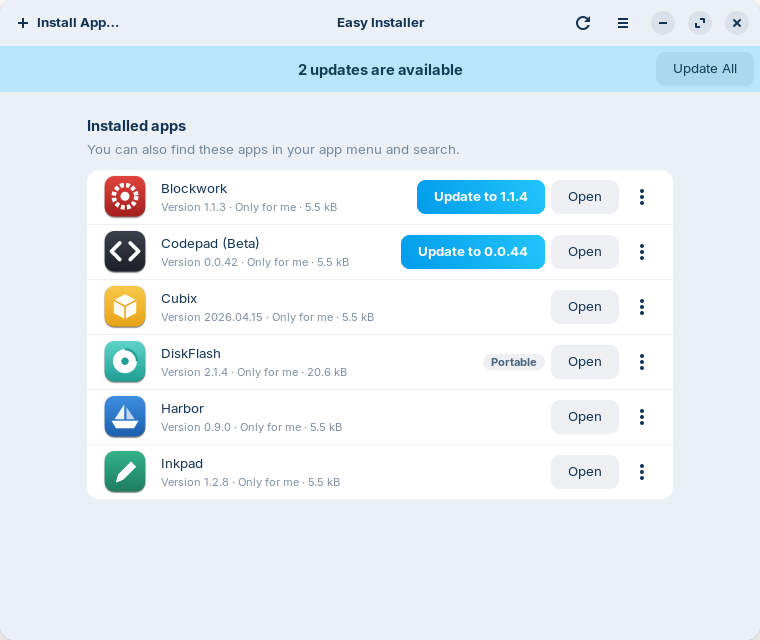
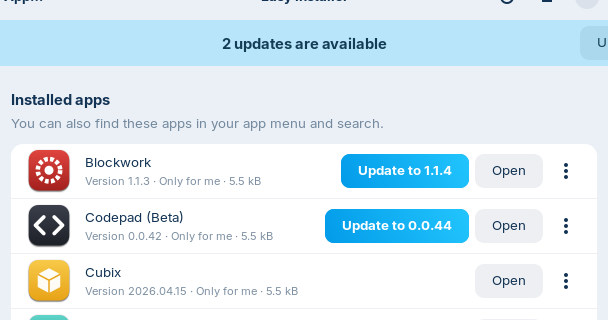
An AppImage is just a file. Without help you write its menu entry yourself, look for updates yourself and clean up yourself. With Easy Installer you see at a glance what's installed, what's being updated, and how to remove it.
# 1. move it somewhere permanent
mv ~/Downloads/Blockwork*.AppImage ~/Applications/
# 2. make it executable
chmod +x ~/Applications/Blockwork.AppImage
# 3. find an icon somewhere…
./Blockwork.AppImage --appimage-extract
# 4. write a launcher by hand
nano ~/.local/share/applications/blockwork.desktop
# 5. tell the desktop about it
update-desktop-database ~/.local/share/applications
# 6. a month later: which file was Blockwork again?
ls ~/Downloads ~/Applications
# 7. is there a new version? check the website…
# 8. uninstall: delete 3 files you hopefully remember
rm ~/Applications/Blockwork.AppImage ~/.local/share/…
Install & update
Only asks the server an app names itself, over HTTPS, at most once a day. Nothing about you or your apps is sent.
Trust & the rest
Easy Installer shows where an app comes from, cleans up after itself, and fixes the things that usually send you searching forums.
See the website a file came from and who signed it. If a new version isn't signed by the same maker, you get a clear warning first.


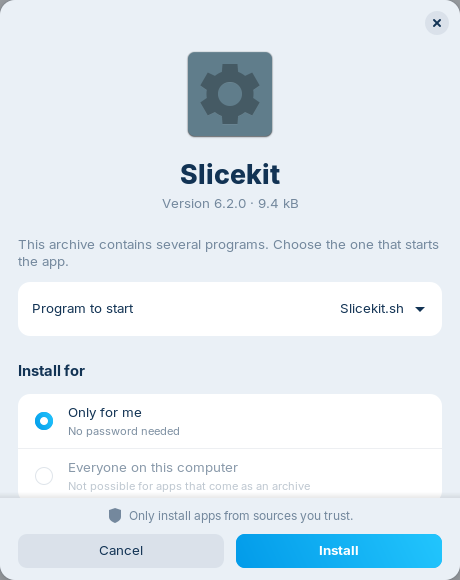
Some apps come as a packed folder instead. Easy Installer unpacks it safely into its own folder. Several programs inside? You pick the one that starts the app.

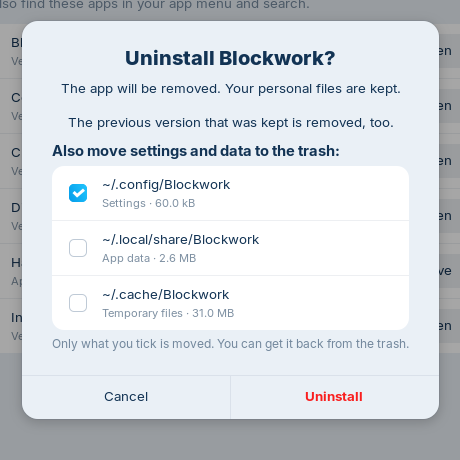
App, launcher and icon are removed. Settings and data go to the trash, but only if you tick them. Your own files are never touched.

On Ubuntu 24.04+ many Electron apps hit the sandbox block. One password and they just start.
AppImages need libfuse2. Easy Installer installs the right package, or runs apps without it.
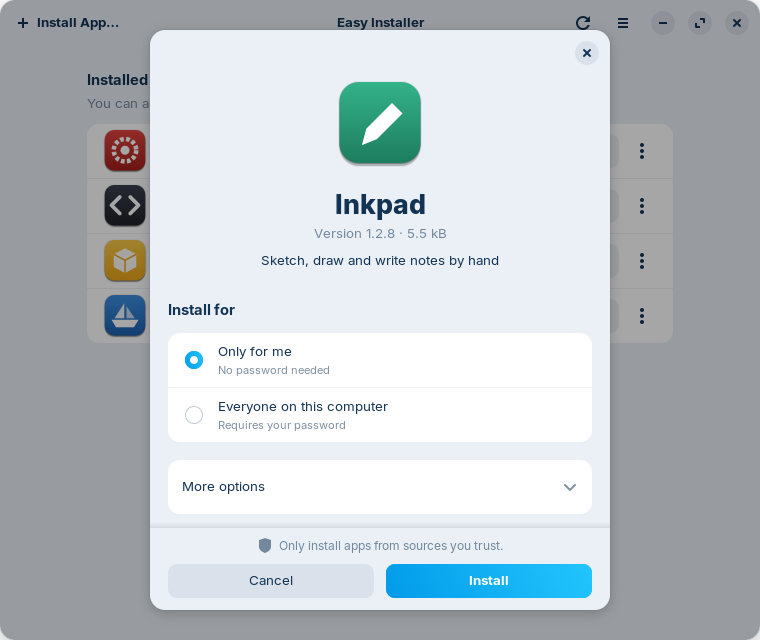
No password for yourself. For all users on the PC, it asks once.
Name and icon are read straight from the file. The app itself isn't started.
English, Deutsch and Nederlands. Light and dark mode, like your desktop.
install, list, update, rollback, uninstall: everything the window does, for scripts.
03 — But why?
Lots of people would love to make the jump to Linux. What stops them is one thought: “It's different. I'll have to relearn everything.” And when things do work differently and nobody shows them the way, they get frustrated and go back, even though they really wanted to switch.
That's what Easy Installer is for: giving people what they're used to.
In the Start menu and Windows search
In Launchpad, Spotlight and the Dock
In your app menu, updated with your system
Not in your menu. No icon. Lost in Downloads.
With Easy Installer, the AppImage works like the others: